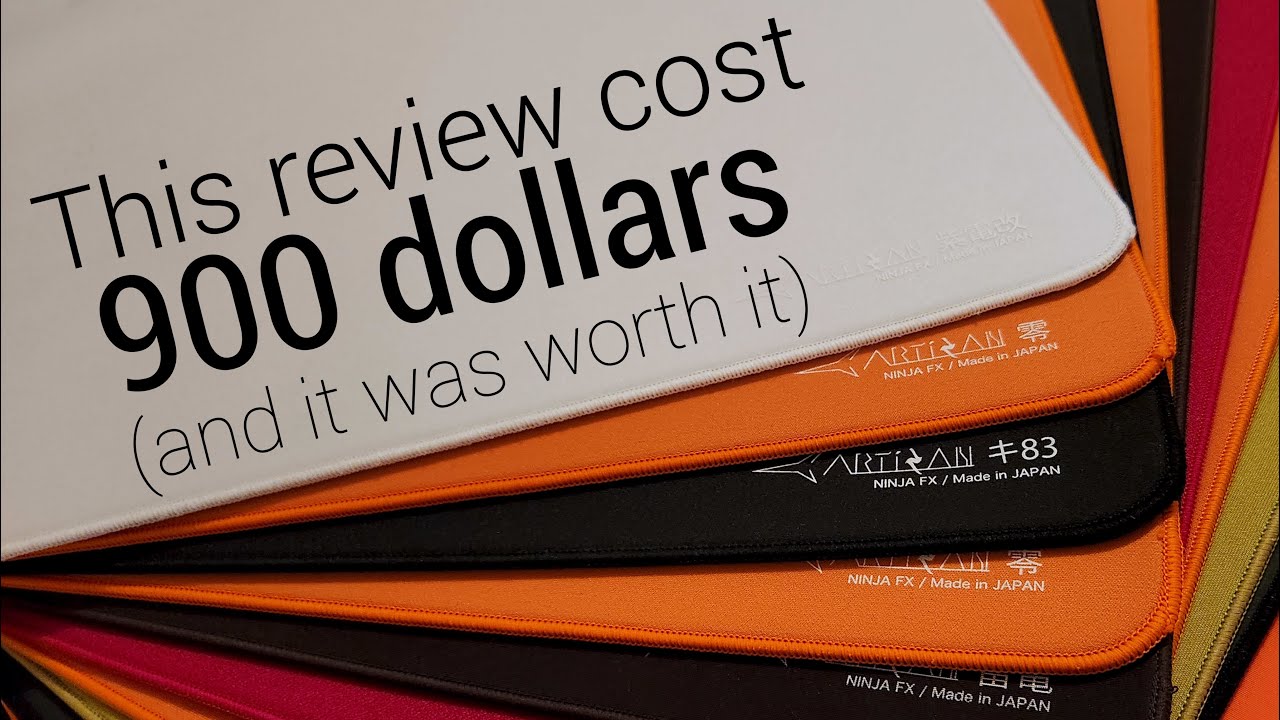
Introduction
If you’ve ever looked for a premium mousepad you’ve probably seen these. Artisan mousepads. They have almost become a universal recommendation and for good reason! I’ve been maining something from artisan for almost 4 years straight at this point, even though I’ve tried so many different fps games throughout that time period. Which is a clue to the reason I think they are as popular as they are, they have a product to fill every niche. From slower pads to aid in stability for something like valorant to faster ones for games with more varied movement and all the common and weird use cases in between. But before I talk about all of the surfaces in more detail I want to really quickly explain some features that are present on every artisan pad because the wide variety of surfaces on offer here wouldn’t matter if the pads weren’t actually good.
Universal Features
Edge Stitching and Durability
The edge stitching of a mousepad refers to this bit here and was implemented to stop the cloth in pads from fraying outwards and it improves durability. Early or cheaper attempts at this had an issue though, the stitching would sit above the physical surface of the pad so you’d feel and sometimes get stuck on it when trying to glide your arm across. Artisan’s stitching is below the surface so this doesn’t happen and although this isn’t that rare these days, they were the first to implement it as far as I know and are still well up there in terms of quality. I’ve also found their pads to be more durable than most other cloth pads, my zero softs, yes, plural, last about 9 months before significantly slowing down which is a lot better than something like a zowie g-sr-se which takes maybe 3. The bases of these pads are great too, they are made from a different material to most that’s more sticky so if you’ve ever experienced this, that won’t happen here.
Base Firmness: XSoft, Soft, and Mid
The base of a mousepad isn’t actually only relevant for how well it can stick to your desk though. The firmness of the base changes a lot about how aiming feels when using the pad and this is why artisan manufactures each of their surfaces in three variants, xsoft soft and mid which do all feel pretty distinct. As a general rule of thumb I would recommend soft, it’s my personal favourite and I think the safest of the bunch but there certainly are use cases for mid and xsoft as well. I know a lot of people struggle with trying to manage tension during stressful situations in game, and this can lead to applying pressure down into the mousepad either as a reflex or as a way to alleviate that shakiness that nerves can cause. But when this is done without intent or control behind it, all this downwards pressure does is make aiming feel very inconsistent. Going with a mid pad can help negate this issue, the pad won’t slow as much from that pressure which can potentially give it a more consistent feeling glide. This is why the speed of each pad changes with the firmness, even though the surfaces across all versions are identical, the mid versions of each will feel slightly faster due to that lack of slowdown. That said, variation of downwards pressure isn’t strictly a downside, personally I lean into it sometimes, for example I might press into the pad at the end of a flick to bring my mouse to a stop without any shaking. This works well on soft pads but if this is something you’ve based your aiming style around, an xsoft pad could help you utilise it further. The other benefit of xsoft is just comfort, it’s super plush, it can almost feel like you’re resting your arm on a cushion at times especially when compared to the mid pads that can be a little firm and uncomfortable occasionally. Xsoft isn’t without it’s downsides though, it’s very hard to manage downwards pressure well enough to avoid slowdown and I personally have found them next to unusable with smaller mouse skates, the surface area just isn’t enough to hold the mouse far up enough to not scratch against the pad. So, soft is the safest option but if the benefits of either xsoft or mid appeal to you, they certainly work well and are worth considering.
Artisan Zero
I’m usually quite critical of products that try to appeal to everyone. Mice like the G Pro Superlight for example are good and people rightfully love it, but when a product tries to fill a wide range of use cases it typically has to sacrifice excelling in any of them. Maybe those people would like a more specialised mouse more, but the superlight is good enough. And yet, the artisan zero, the most unassuming of artisans entire lineup, manages to be one of the best mousepads I’ve used for such a wide variety of purposes that there really is nothing like it for me. If I had to use one mousepad forever, this is what I’d choose. I don’t think there is a safer recommendation to give out of artisans lineup with one caveat that I’ll get to later. If you don’t want to think too much about which artisan to get and just want something that can do everything well, this is the way to go.
Friction Balance
In terms of friction it places here relative to other artisans, but despite how the numbers look it doesn’t feel significantly more “muddy” than something like the otsu to me. I think this is because of the pad’s static friction, the force that keeps the mouse in place, being only slightly slower than the otsu’s. So it’s not that much harder to start movements, but the extra resistance you feel when moving the mouse, also known as the dynamic friction, makes it easier to stop those movements as well as providing a sort of “guiding force” that makes my flicks feel cleaner directionally than they do on faster artisans. This is what I think makes it so viable for basically everything, in games like cs or valorant the higher dynamic friction will help keep flicks feeling locked in while still allowing for fluid micraodjustments and in games with a higher time to kill like apex or the finals the dynamic friction isn’t so high that it’s impossible to adjust your aim when a target changes their trajectory. It just works well for everything, which I think the variety of games I’ve used as background footage demonstrates pretty well.
Versatility
Given that I don’t think it’ll come as a surprise when I say that it’s my main choice for basically every fps game, overwatch, battlefield, counter strike, aimtraining, apex and so on, it’s honestly rare for me not to choose this mousepad if im going to play a game, but it does happen sometimes. For the finals I used the shidenkai primarily since I found the zero to be a bit too slow for some situations in that game, and in valorant I swap between this and a couple other controlled pads. So, while it’s not flawless, even in the situations where I prefer another mousepad, the zero still performs great and won’t hold you back from reaching a high level. It excels in basically all areas and that’s why I recommend it so universally.
Orange vs Black
But back to that caveat I mentioned earlier, this pad actually has a reputation for being somewhat rough on the skin which kind of confused me, when I first tried it I honestly felt it didn’t have enough texture. That was the black xsoft version, and while it being in xsoft certainly played a role there is actually a difference between the two colours, with the orange being noticeably more textured and slightly faster. I still wouldn’t call it rough personally, it’s never irritated my skin and if anything I prefer the bit of extra texture along with the bonus speed. I’ve found that the two almost balance each other out, the surface provides more feedback when aiming which creates this feeling of extra control when compared to a perfectly smooth mousepad. Regardless though, this is something to be aware of - if you are looking for what I described earlier go with the orange, it’s my basically universal recommendation and works well in every game with every sens, but if you think you’d like something slightly slower and smoother, like if you mainly play tac fps games, then you can either go with the black version of the zero or look into artisan’s proper control pad, the type99.
Artisan Type99
I want to say right away though that this mousepad isn’t just a little bit slower than the zero. This is a proper control pad right up there with mousepads like the Zowie GSR but it doesn’t actually feel that slow? Don’t get me wrong though, it is still very slow and I feel I get a fair bit of extra control and stopping power when using it but unlike other slow pads I wouldn’t use the term “muddy” to describe it. To me that implies a level of resistance to starting movements that this pad just doesn’t have. I’m sure a part of it is how smooth the surface feels, there’s no tug and very little friction on my arm which makes it seem faster than it actually is, but I think the main cause of this phenomenon is the friction balancing.
Friction Philosophy
The core idea here is the same as with the zero, make the static friction relatively low while keeping dynamic high, but when shifted to a surface with more friction overall that effect is even more visible. What this translates to in game is that for smaller movements, starting them will take more force than on the zero for example, which could lead to overadjustments if you aren’t used to it, but most of the time that extra force will be controlled for by the dynamic friction, which works with you to stop your mouse. This contributes to a feeling of stability and control on microadjustments but also works surprisingly well for wider and faster flicks. I think a lot of people expect a faster pad to improve their flicking speed, but in my experience being able to work with the friction of a mousepad actually helped me flick more quickly. By removing the instability at the end of flicks that’s often present faster mousepads, slower pads like the type99 help give me the confidence to push my flicks faster than I could on a speed pad, and that’s on top of the benefit of higher dynamic friction that I talked about in relation to the zero, with it almost acting as a guiding force that keeps your flicks directionally consistent.
Best Use Cases and Limitations
Because of that I think this pad works exceptionally well for tac fps games like valorant and cs2 or faster paced shooters like battlefield or cod, that stability when microadjusting and locked in feeling for flicking is hard to pass up on and if games like that are all you play it’s probably one of the best from artisans lineup, but I think this pad kind of falls apart when playing a game that requires more varied aim than cs or valorant. Which sounds kind of weird, if a game is harder to aim in wouldn’t we want the extra control that the type99 offers? Not exactly, while pads like this can help prevent some shakiness, they do this through filtering out all small movements through their high static friction, including intentional ones. And while this won’t effect microadjustments in a game like valorant, for very precise tracking you’ll have to put more effort in to have your physical mouse movements replicated in game. Which, weirdly enough, actually made my aim look more shaky in games like the finals. In that game, while tracking people moving in straight or predictable lines was ok, it was really hard to keep up with targets moving erratically and I’d much rather have been using a faster pad. I felt similarly in apex or overwatch too, where even the relatively small bit of extra speed offered by the zero makes a massive difference compared to the type99. I also think saying it’s good for flicks and microadjustments doesn’t really tell the whole story, while the design philosophy behind the surface does help with each individually, when I had to go from making a flick to making a microadjustment that locked in feeling turned into a downside. I couldn’t smoothly start one movement right after ending another, I’d get caught in the inertia of that previous movement and couldn’t continue before it had faded.
Final Verdict
Personally, I much prefer the zero but like I said, this pad can still work and all of these downsides are typically much worse on other control pads thanks to them not having lower relative static friction. The type99 is the best at what it does, I just don’t like what it’s trying to do that much for the games I play and I don’t feel like I need that extra stability coming from from the zero, but it still might a good option for you if you want that stability on flicks and don’t play games with varied movement or just really like using slower mousepads and want the best one you can get.
Artisan Raiden
Then, what about a mousepad more suited to games like that? Could something faster offer that freedom of movement we are looking for? The raiden is the fastest purely cloth mousepad I’ve ever used and feels really distinct because of that. I honestly struggle to describe how the surface feels, since it’s not smooth in the same way other smooth pads are, it doesn’t have a lack of texture, it has a lack of abrasiveness within that texture. It’s almost like silky, and that feeling carries over into the pad’s glide. There is very little resistance in terms of both dynamic and static friction which means that starting and continuing movements is effortless. Because of that effortlessness, I find it very well suited to particularly flowy and dynamic aiming styles, which makes it stand out for three types of games in my opinion.
Game Type 1: High TTK with Gradual Acceleration
The first is games with higher time to kill and gradual movement acceleration, with apex being a good example. While the lower friction doesn’t really help me with aiming at long strafes compared to a control pad, it makes a big difference when trying to track someone changing directions. On slower pads it can be hard to follow up an adjustment with a smooth track, since you need to apply so much force to start that movement that it’s a bit hard to then control that inertia to transition into that smooth follow through that we want afterwards. This harsh adjustment also generates more motion blur which can make visually following the target after that adjustment harder. By reducing the difference in force needed to start and continue movements it’s easier to retain control after a change in direction as well as making more gradual speed changes easier so it won’t be as hard to track your target visually. All of this is possible on slower mousepads but I found that using something like this made it easier to lean into that style, which in a game like apex helps a lot.
Game Type 2: Instant Acceleration
With that being said though, if you have the mouse control to make those snappy microadjustments without overcorrecting, this pad works great too and is actually why I recommend it for games with instant acceleration like overwatch. For tracking faster strafes low static friction is a massive bonus. Having as little resistance as possible can almost make it feel like you can react faster to movements if you can control it. But I like to have some dynamic friction to lean back on when possible for tracking the movements in between direction changes which this pad offers too. It’s not too fast that my clicking suffers either, characters like cass are totally playable for me on this pad whereas on something like the skypad I actually felt a bit lacking in fine control.
Game Type 3: Tactical FPS (For Flowy Styles)
The third type of game I recommend this for it actually… valorant and counter strike. Which sounds odd, especially since I’ve already talked at length about how nice more friction is for those games due to the emphasis they place on stability. For styles that focus on snappy and clean microadjustments and place a lot of emphasis on accurate preaim, that makes sense and I do think slower pads are a safer option for valorant, but if you consider what I said earlier about flowy and dynamic styles in relation to valorant, the raiden might start to make a bit more sense. Some of the best aimers in that game are amazing at chaining movements together, smoothly blending one flick into a microadjustment into another flick and having to fight the pad to start each of those movements makes that style a lot harder. That’s why I think low static friction can be a massive benefit if you aim like this, as long as you have the control to make it work.
Caveats
Which I think is the first big potential caveat to the raiden, you have to have the skill to utilise it. Even though other surface types can be faster this is still the fastest cloth pad I’ve tried and I think people who haven’t put as much time into training their mouse control or struggle with getting shaky under pressure might struggle to aim well on it because of that. This’ll be especially true if you are looking for an upgrade from an older control pad and in that case you might be better off going with something like the zero since it’ll still be a lot faster than what you have now. The other caveat is that I don’t think the durability is as good on this pad as other artisans, the mid especially seems to wear down as a rate much more in line with other cloth pads and doesn’t keep its crazy low friction for as long as I’d like. I think it’s a bit harder to recommend compared to the zero or type99 but I still really enjoy using it and if the experience I described earlier sounds like something you’d like it’s still worth considering.
Artisan Hien
Artisan does have a few other options for people looking for a speed pad though, all slightly toned down from the raiden but all three of them offer, to varying degrees, the benefits of low friction I talked about earlier. The one you’re probably most familiar with is the hien. It was actually my first artisan mousepad back in 2020, which makes sense since it’s probably the most well known artisan pad and one of their most unique too, or at least it used to be before everyone tried to clone it. I think the hien more than stands up to those clones though, even at it’s higher price point and the design philosophy behind it is still really solid. It comes back to that point I made about the zero and the benefits more surface texture can offer and takes that idea to it’s most extreme. This pad is very rough and you’ll feel that texture both on your skin and through your mouse skates and because of that it’s a bit hard to adjust to, but if you can get used to that texture it offers a pretty incredible combination of traits.
Flick Consciousness
That benefit I mentioned earlier, how that feedback from the pad can be a useful feature when aiming, is on full effect here. There is something I call flick consciousness, which is just your ability to be aware of how far you are moving your mouse mid flick, which if you are very good at can lead to perfect transitions between flicks and microadjustments. It has the potential to completely remove the delay between those two motions. That is something that was way easier on this pad compared to the raiden especially actually, I felt much more aware of where my flicks were going because of that instant feedback from the surface of the mousepad and it translated really well into flicking scenarios in aimtrainers and similar situations in games.
The Roughness Problem
But, even though transitioning between a flick and a microadjustment was easier, my microadjustments themselves… they weren’t great, they were noticeably worse than on other artisans, even some faster ones. I think there are two reasons for this, and the first is the friction balancing. Compared to most pads at this speed the hien has very low static friction which can be nice, it promotes freedom of movement and makes motions easier to start, but that applies for unintentional motions too. So shaky movements were really visible here. But the raiden xsoft has very similar friction balancing and I don’t have that issue there, so what makes the hien worse in this regard? I think it is, once again, that surface texture. On something like the raiden I can press my fingers against or into the pad slightly when making really fine movements which almost acts like a brake, it gives you control over the amount of friction you experience based on how far you press down. So, in a scenario like this one where I want a bit of static friction to filter out jitters, I just press against the mousepad a little. On the hien that just gives me friction burn. Yes, it is actually that rough, I’ve gotten skin irritations on my arm after using this pad for extended periods of time before and that was on the xsoft version, which is the least abrasive one. For me it basically rules out finger drag as a viable technique and I find it pretty hard to use overall because of that, but I can still see why it’s as well liked as it is.
Who Should Buy It
If you have tougher skin than me and aren’t as prone to irritation from abrasive surfaces or don’t utilise skin contact against the pad when aiming I can see it working pretty well for microadjustments and fine tracking, and if you can use it the benefits for flicking are very visible. I did still play pretty well on it, just not as well as other artisan pads and I don’t enjoy using it as much either. It’s just not for me and is a bit hard to recommend especially when something like the otsu offers a pretty similar aiming experience without as irritating of a surface.
Artisan Otsu
And while that does act as a nice summary of the otsu, a less abrasive hien, and would be a good selling point on it’s own, I think that’s missing out on some of the big factors as to why so many people swear by this mousepad. The term “fast but controlled” has become so overused in the peripheral space it honestly barely means anything anymore, but out of every mousepad I’ve tried that’s been given that description this is the only one where it actually fits. Objectively it is very fast and you do get the benefits of that speed, but it doesn’t really feel like a speed pad when using it. So, how does it do it? And, do you actually want that from a mousepad?
How It Achieves “Fast But Controlled”
I think there are three main factors, the first and most impactful is the relatively high static friction. Even though it isn’t that high compared to properly slow mousepads, when putting it against the dynamic friction it is noticeably slower and what that translates to is the pad filtering out more minor stutters and jitters which are usually present on faster pads, especially when flicking quickly. This actually used to be my favourite mousepad mostly for this reason, on something like the raiden when I’d try to flick fast there’d be a lot of shake at the end of my movements but on this pad that was entirely gone, giving me the confidence to flick faster than I usually would especially since the dynamic friction is still low. The texture contributed to this confidence as well, it gave similar benefits to the hien in terms of flick consciousness without being irritating on my skin at all and because of that lack of irritation I could still glide my fingers against the pad and pushing them into the pad had a massive effect on the static friction, increasing it further still relative to the dynamic. All of that led to this mousepad being perfect for movements like this one, super fast and snappy flicks with minimal shake after, and I loved it for that style and I think if you aim in a similar way it’s a great recommendation.
Downsides for Fluid Styles
But, that was way back in 2021, my style’s changed a lot since then and honestly I feel like I’ve kind of outgrown this mousepad, as strange as that sounds. “Fast but controlled” is amazing in theory but isn’t without it’s downsides, and here that really stood out to me in my fluidity and microadjustments. Because the difference between static and dynamic friction was so high, especially when applying downwards pressure, going between these two states felt very inconsistent. I’d have to apply so much force to get my mouse moving that it would go way further than I wanted it to once it got over that threshold. The higher resistance to starting movements also created a disconnect when chaining movements together, it was very stop-start and, just to clarify, these things aren’t always terrible, I made them work back then. However, I feel like as I got better as a player and leaned more into fluidity and controlled microadjustments that flick accuracy got less and less important and I felt those downsides more and more. Especially since with better flicking technique I was able to get similar flicks on something like the zero without needing to rely on having higher static friction relative to the dynamic. I’m not trying to say that this pad is useless or anything either, just that it works really well with a very specific style and as I stopped utilising that style as much I gravitated towards pads that offered more balanced static and dynamic friction.
Artisan Key83
And for a long time, that was just the zero for me. While it was a touch slow for some things, in the orange version it offered exactly what I wanted in terms of relative friction values. Enough to aid a bit in stability but not too much to make chaining motions together or microadjustments challenging. And honestly that might be more important to me than the actual speed of a mousepad now, i feel like how well balanced the static and dynamic friction is matters way more. Which I think is why I like artisan’s newest release, the key83, as much as I do. In terms of speed it sits very close to the otsu on the friction tests I’ve done but really doesn’t feel like it.
Consistency and Hexagonal Weave
Going by perception alone I’d place my soft version in between the otsu and the zero, which I mostly put down to the texture but what also plays a role and part of the reason I like this pad so much is it’s consistency in every aspect. Unlike the otsu, pressing down on it barely made it slower and didn’t change the balance of friction at all, so if I got nervous in a game or something I wouldn’t have my pad turn into mud. The most unique feature here though is actually the weave of the surface itself, most pads have weaves containing threads that are longer in one direction, meaning that on every cloth pad there will always be some difference between the speed when moving horizontally versus vertically. On the key83 though, that weave is a hexagonal pattern, which while not exactly the same in both directions, it actually feels a bit faster vertically for me, this is still far more uniform than any other cloth pad I’ve tried. This doesn’t translate into crazy game changing aim gains or anything but I did feel a bit more confident going for diagonal flicks on this pad and it felt great for vertical movements. It’s harder for us to move the mouse vertically compared to horizontally so it never made sense to me that basically all our mousepads were slightly slower when moving in that direction, which just compounded on the already existing difficulty. I did feel more confident making small vertical micros especially and this feature is a nice bonus to an already great mousepad.
Key83 Soft: Final Thoughts
I think the key word here is consistency, out of every cloth pad I’ve tried this one has the least variance from day to day and movement to movement and it being so minimally affected by downwards pressure lets me press my fingers onto or into the pad for extra friction against my skin without it ruining the glide on my skates. That plus the slightly faster speed is enough to put it in a different category from the zero for me, they don’t compete with each other but fill different roles for different situations or different people. If you want something slightly faster than the zero but operating on similar design principles, the key83 is a great option and I highly recommend it. The only caveat I can think of is that while this pad won’t actively disadvantage you in tac fps games, I personally would rather have something with a bit more control most of the time. This pad still works in those games though and I prefer it to the otsu or hien, but yeah I think I would take the zero over all three in cs2 just as an example.
Key83 Mid: Glass-Like Cloth
But I’d be missing something if I didn’t talk about the key83 mid specifically here, since when you take the properties of consistency across all directions and levels of force, compound them through an even firmer base and increase the speed significantly, you get the most glass-like cloth pad I’ve ever used. Pinguefy has been basically stuck on glass for the last 2 years now and has been unable to use cloth because of the properties of glass those cloth pads didn’t have, but this was their thoughts after trying the key83:
It’s actually everything I want out of a mousepad, as somebody who has spent so much time with glass but was pining for a few benefits that cloth provides you. For me, the key83 is the perfect middle ground between cloth and glass. I feel like I’m improving as I adapt my older skillset to this surface, and I’m steadily learning to incorporate new ones into my style.
I haven’t used the mid variant enough to talk about it in more detail here, but if that use case sounds like something you’d want to try, I’d recommend giving their video a watch. However, the key83 even in the mid variant, still isn’t quite all the way there in terms of speed, it’s certainly not slow but it can’t match the level of frictionlessness that a glass pads can offer 1:1, but artisan does have something that can. One that, for me, almost mirrors pingu’s experience with the key83. It’s like a glass pad but with the features I missed from cloth pads.
Artisan Shidenkai V2
The shidenkai v2 is insanely fast, that’s it’s main defining characteristic and blows the raiden out of the water in terms of pure speed. And yet what stuck out to me was the control offered here that isn’t present on conventional glass pads. I promise this isn’t another “fast but controlled” thing but first I need to clarify something, when most people talk about glass mousepads they are referring to what amounts to solid slabs of glass, there might be some coating on top and a silicone base on the back but the primary material used to make the pad is just glass. The shidenkai differs by keeping artisan’s conventional base design and using a glass infused surface instead of glass exclusively. What this means is that you get levels of speed that can match or even surpass fully glass mousepads while not having the downsides that come with them.
Variable Friction on a Speed Pad
I talked a bit ago about how myself and others manipulate the friction our pad produces to fit whatever aiming situation we are in and how the texture of the hien prevented me from doing this there which led to me playing worse, but this downside applies to glass mousepads as well. You can’t press into them, they’re solid glass, and dragging your fingers against the surface just leads to them getting stuck to the surface most of the time. But on the shidenkai, you can do both without ruining the balance between dynamic and static friction and with very minimal skin sticking. And while some people like the consistency offered by glass pads not letting you press into them, for me the ability to control the level of friction there is is too valuable to give up, even if the glide might be a bit less consistent because of it. It’s so valuable that this benefit alone is enough to set it well above basically every glass pad I’ve tried, it is just more versatile thanks to that varied friction and I find it way way easier to aim on while still maintaining the benefits of a super low friction surface. Some kovaaks scores I still haven’t beaten to this day were set back when I was mainly using this pad in late 2023.
Benefits for Evasive Tracking
So, what are those benefits here? The main one for me is in games or aiming situations like these ones: extremely evasive targets with varied movements, I find that on a higher friction pad, say, the freefall sv base+ for example, maintaining control on those direction changes is very challenging thanks to that side effect of static friction I talked about before. The force needed to overcome that friction bleeds into future movements which leads to me tensing the muscles in my arm to control for it. On pads this fast that static friction may as well not be present meaning, and on the shidenkai specifically I can press down into the pad after the adjustment if needed to get back that stability that a control pad would’ve offered. Flick stability is much better than on other extremely fast mousepads too, that variable friction makes a massive difference and leads to some actually pretty good stopping power considering how low the base friction actually is.
Availability and Future
But, you can’t get the shidenkai right now. Artisan isn’t producing it anymore due to some issues the pad had, primarily certain mice like the g pro superlight having tracking issues but there were other concerns too, namely with durability and dot skates not really working here at all, at least on the xsoft version they just sink in so much that the base of the mouse scratches against the mousepad. That idea of variable friction on a speed pad lives on to lesser extents though, through pads like the fnatic jet, vancer ace or even the raiden from artisan themselves. I’ve also heard the infinitymice speed referenced as fitting into this category but I haven’t tried it myself so I don’t want to say anything definitive. As for artisan producing the shidenkai again in the future, there was some conflicting info out there about a potential shidenkai v3 so I reached out to artisan directly. I’m paraphrasing here but the full message is linked in the description if you’d like to read it. “Firstly, they are working on a new speed focused mousepad. Second, they have considered utilising non-cloth materials for the surface again like the shidenkai had, but because they believe in the value their multi-firmness options offer they won’t be making a conventional solid glass mousepad, so you’re not going to see a skypad competitor from artisan. Third, they have no firm plans for a release date and it takes months to years to develop, test and release a product of this nature.” So, and this is me talking now, if you don’t mind waiting and the ideas I talked about relating to the shidenkai appeal to you, this might be worth waiting for, but it might be a while before we see anything definitive.
Are Artisan Mousepads Worth It?
And now for the question that could undermine this entire video: Are artisan mousepads actually worth the money? For me, absolutely. I know the price looks a bit steep especially when buying from resellers but when buying from artisan themselves it’s honestly not that bad, doubly so when getting two at a time to save on shipping, and you get the quality you pay for here. I personally find mousepads more impactful than mice when it comes to how I aim and because of that I don’t mind spending a bit extra for the best I can get. But there are cheaper options out there that won’t be that much worse. If you’ve got the money to spend and any of these pads sounds appealing to you, I don’t think you’d regret buying them, but there’s nothing wrong with choosing to opt for something cheaper or more available instead. I don’t go out of my way to try artisan clones so I don’t know of too many, but these are some good alternatives to some of the pads I’ve talked about in the video. They won’t be exactly what I’ve talked about here but hopefully they should feel at least similar and I think they all offer pretty good value for money. Thanks for watching.